SoftMagnat OLM to PST Converter is a professional OLM conversion software designed to export Outlook for Mac OLM files to PST and other popular formats. It converts emails, attachments, contacts, calendars, tasks, notes, and folders while preserving the available folder hierarchy and mailbox data.
* Download the free trial version to scan & See the preview of convertible mail items.
Use Discount Coupon ( WINTOOLS20OFF ) to Get 20% Discount on Product.
SoftMagnat OLM to PST Converter provides a practical way to move mailbox data from Outlook for Mac to Outlook for Windows. Instead of manually transferring individual emails and contacts, users can convert complete mailbox data into PST format.
The software converts emails along with attachments, contacts, calendars, tasks, notes, and folders. It is designed to retain important mailbox information and folder organization so users can access their converted data more conveniently after migration.
Users can convert OLM files to PST and other supported formats such as MBOX, EML, MSG, PDF, HTML, CSV, and VCF. Selective conversion and filtering options also help users export only the mailbox data they actually need.
OLM to PST Converter boasts cutting-edge algorithm and has amazing user-friendly interface to provide quick and accurate results. Here are some of its salient features–
SoftMagnat OLM to PST Converter converts Outlook for Mac OLM mailbox data into PST format along with associated email attachments. It can process documents, images, and other supported attachment types while keeping them associated with their respective email messages in the converted output.
The software can convert multiple mailbox components from an OLM file, including emails, contacts, calendars, tasks, notes, attachments, folders, and subfolders. This makes it suitable for users who want to migrate their complete Outlook for Mac mailbox rather than exporting individual data items separately.
Selective conversion allows users to choose specific mailbox folders or individual items instead of converting the entire OLM file. Users can select required emails, contacts, calendars, tasks, or notes and export only the chosen data to PST or another supported format.
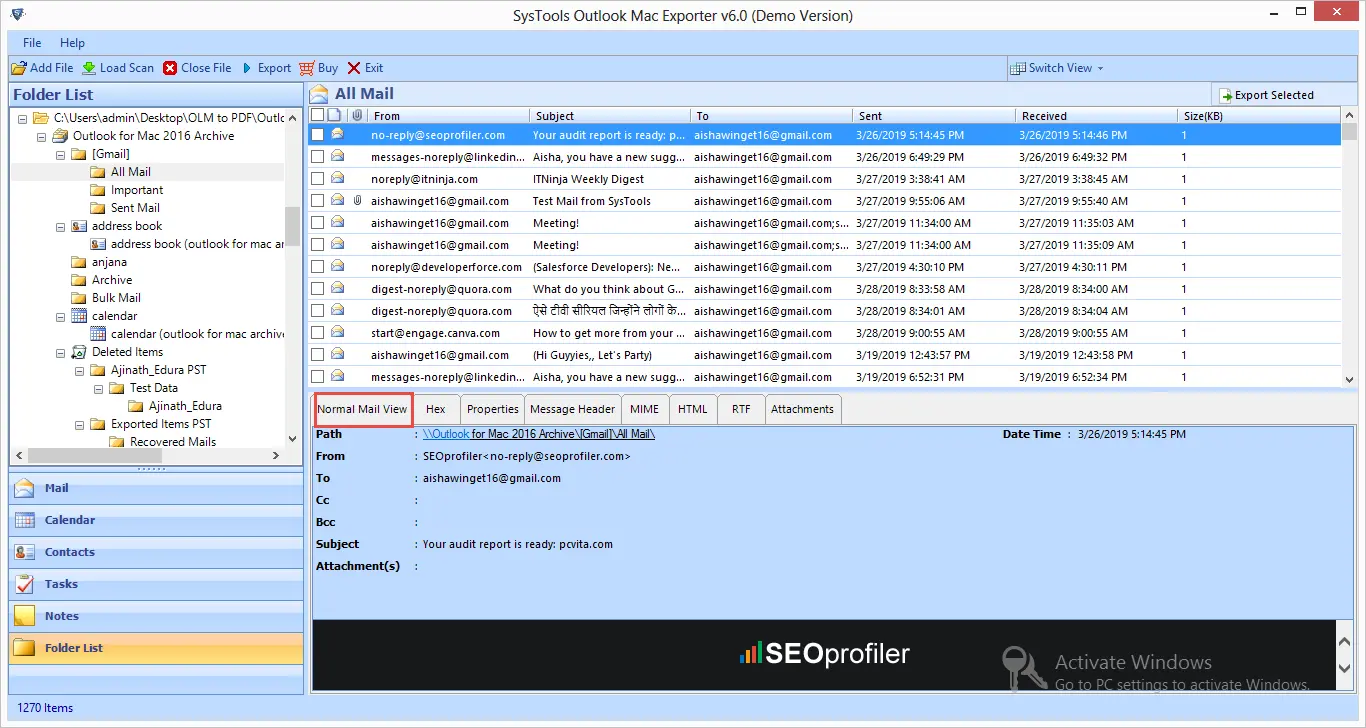
Before beginning the final export, users can preview scanned OLM mailbox data through the software interface. The preview helps verify emails, attachments, contacts, calendars, tasks, notes, and other available data so users can make informed selections before saving the converted files.
Maintaining mailbox organization is important when migrating between email platforms. SoftMagnat OLM to PST Converter preserves the available folder hierarchy, including major mailbox folders and subfolders, so users can access their converted Outlook data in a familiar structure after the migration.
The batch conversion feature enables users to add and process multiple OLM files in one workflow. This is particularly useful for organizations, administrators, and technicians who need to migrate data from several Outlook for Mac profiles without repeatedly starting the conversion process for every individual OLM file.
In addition to PST, the software supports multiple output options including MBOX, EML, MSG, PDF, HTML, CSV, and VCF. These formats provide flexibility when users need to access OLM mailbox data through different email clients, applications, document systems, or contact-management platforms.
SoftMagnat OLM to PST Converter can also be used for supported OLM-to-Office 365 migration scenarios. Users can transfer supported mailbox data such as emails, contacts, calendars, and tasks to an Office 365 account, providing an additional migration option beyond PST-based conversion.
Contacts stored inside an OLM file can be exported to supported contact formats such as VCF and CSV. This allows users to reuse their Outlook for Mac contacts in other applications and platforms without having to manually recreate individual contact records.
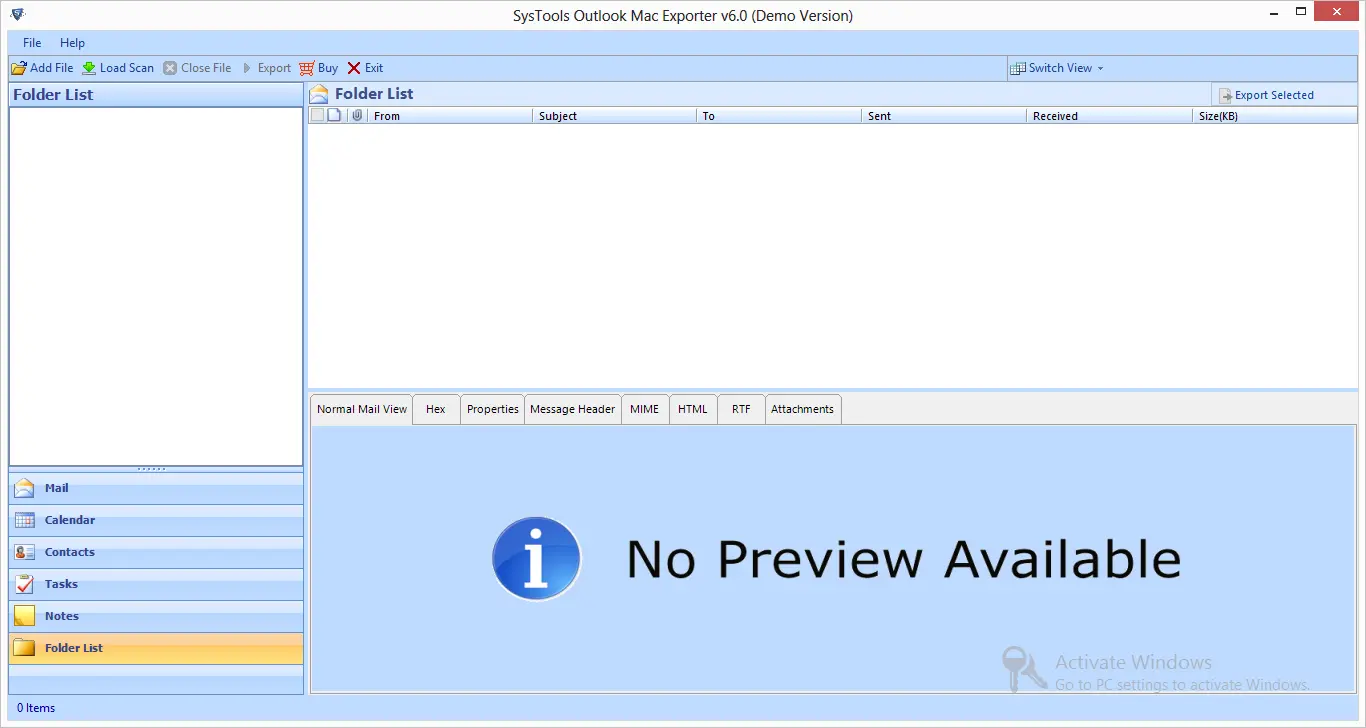
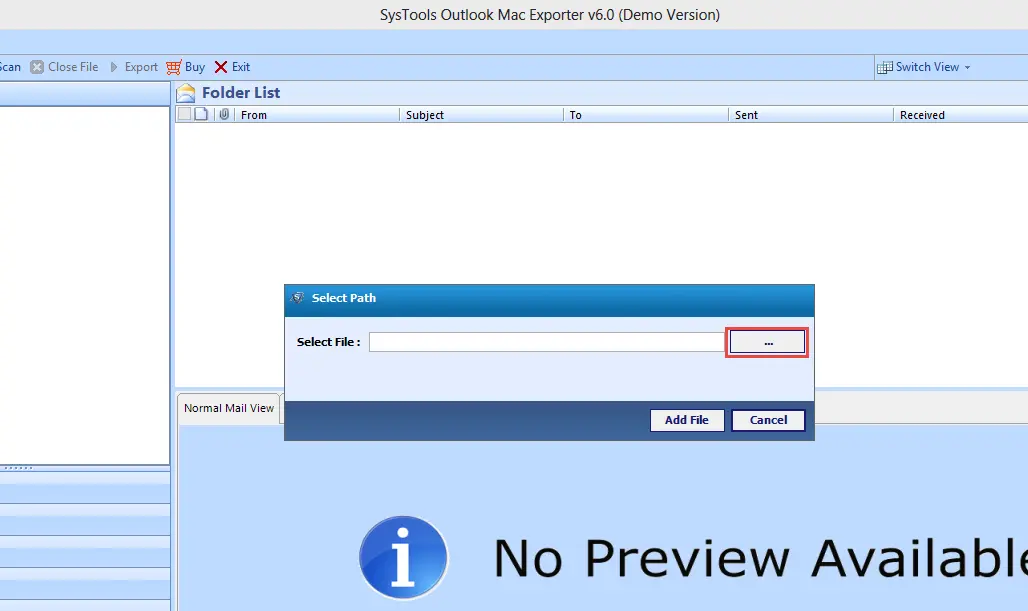
Launch SoftMagnat OLM to PST Converter and add the OLM file or folder containing the Outlook for Mac mailbox data.
The software scans the selected OLM file and displays available mailbox items such as emails, attachments, contacts, calendars, tasks, notes, and folders. Preview the data before conversion.
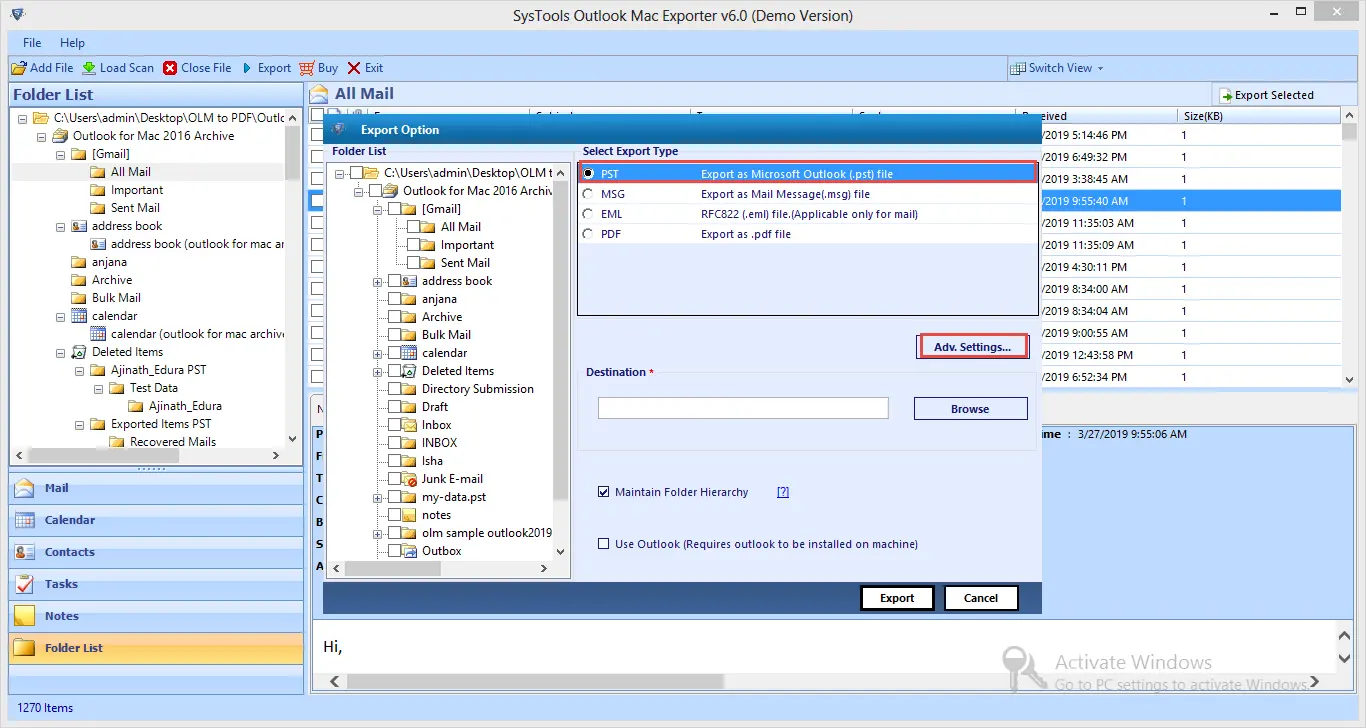
Select the required mailbox folders or individual items. Choose PST as the output format and configure available filters, naming options, or destination settings.
Click the Export button and select the destination location. The software converts the selected OLM data and creates the required PST file for use with compatible Outlook versions.
SoftMagnat OLM to PST Converter supports conversion of:
Ensure your system meets all software and hardware requirements for a smooth OLM to PST Converter experience
Software Download
Trial Limitations
Limitations
The free demo version of OLM Converter tool allows users to see the preview of convertible emails.
System Specifications
Hard Disk Space
• At least 100 MB of free space for installation
Operating System:
• Windows 11
• Windows 10
• Windows 8.1
• Windows 8
• Windows 7
.NET Framework:
• Microsoft .NET Framework 4.5 or later
RAM
• 4 GB is recommended
Processor
• Intel®Core™ 2 Duo CPUE 4600@ 2.40GHz 2.39GHz
Application
Pre-Requisites
Run the tool as Standard/Guest User without asking for admin privilege:
Supported Editions
Windows OS – Windows 7, 8, 8.1, 10 (32 & 64-bit), Windows 11 (64-bit), Windows Server 2008, 2012 R2, 2016, 2019, 2022
Microsoft Outlook – 2003, 2007, 2010, 2013, 2016, 2019, 2021, 2024 (32 & 64-bit)
FAQs
Is your Anti-Virus blocking the software export process?
Please Disable Anti-Virus Temporarily / Allow access (Whitelist) from Anti-Virus Settings for proper working of the software.
Unable to Create Output in Destination?
Please avoid sources from NAS, SAN, Network or Shared Drive. Source file should be on migration machine to perform successful migration.
Electronic Delivery
Our delivery process is automated. Once your payment is confirmed, you will receive an email containing both your download link and activation key within a few minutes.
| Software Features | Trial Version | Full Version |
|---|---|---|
| Converts Outlook for Mac emails to MS Outlook platform | ![]() |
![]() |
| Convert all OLM email components like Inbox, Contacts, Calendars, tasks, Notes | ![]() |
![]() |
| Maintain the integrity of original data | ![]() |
![]() |
| Supports all versions of MS Outlook and Outlook for Mac | ![]() |
![]() |
| Show Preview of all convertible data before saving | ![]() |
![]() |
| 24*7 Tech Support & secure 100% | ![]() |
![]() |
| File Saving Capabilities | Only Preview | ![]() |
| Free Download | Purchase now |